CurbSign
Turn your phone into a full-screen pickup sign. Built for rideshare, taxi, chauffeur, limo, and airport meet-and-greet drivers — but useful for any time you want to hold up a name in big, readable text.
View the app in your browser here.
Single HTML file. No install. Works offline. You own it forever.
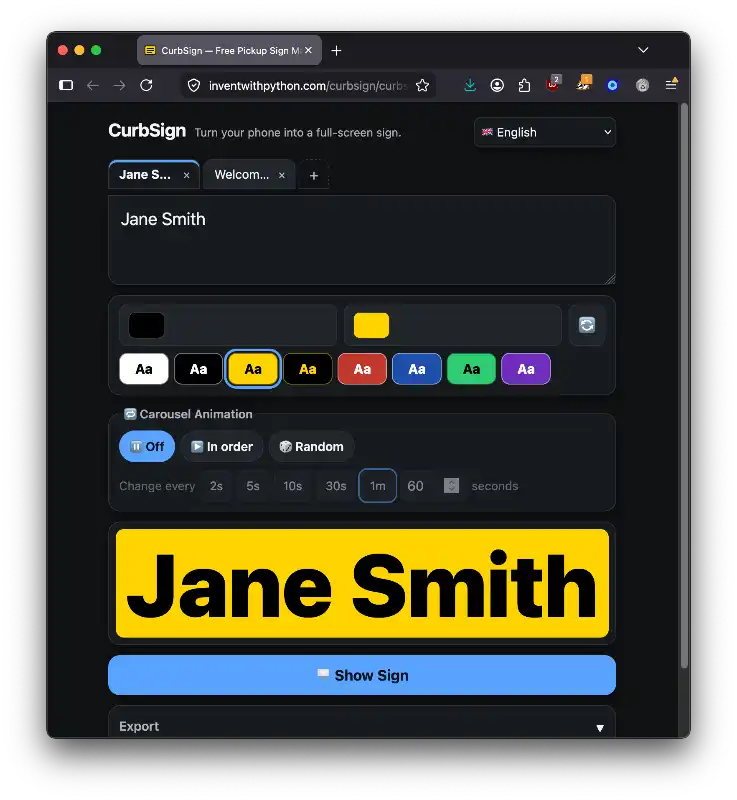
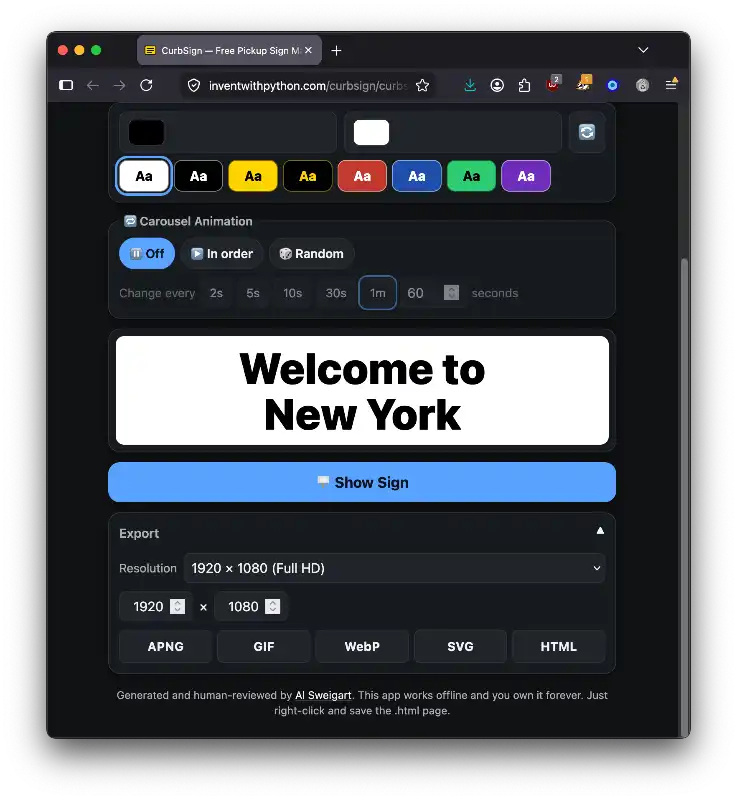
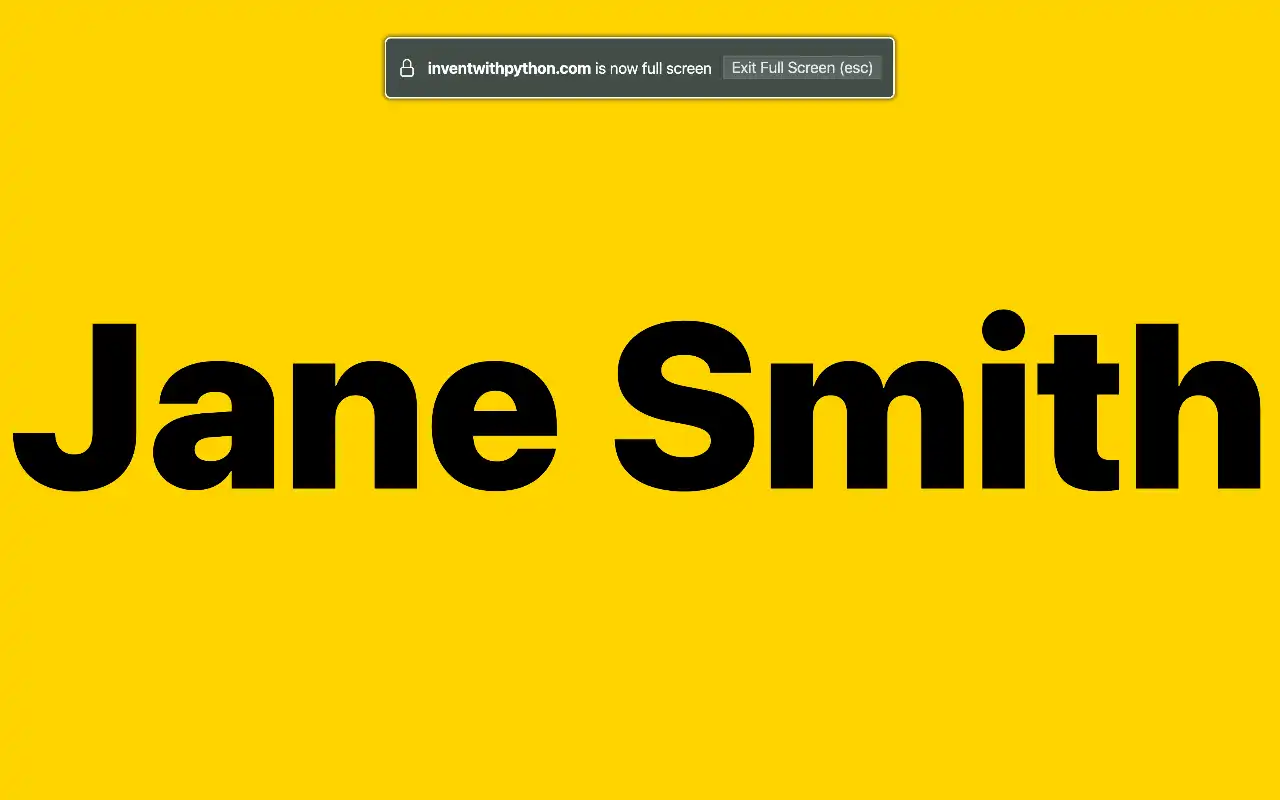
Use
- Download
curbsign.html. - Open it in any modern browser (desktop or mobile).
- Type text, pick colors, hit Show Sign.
That's it. Bookmark it, add to home screen, email it to yourself, drop it on a USB stick. It runs locally — there's no server and no account.
Features
- Auto-fit text — type anything; the sign sizes itself to fill the screen, multi-line aware.
- Custom colors — native foreground/background pickers plus a row of high-visibility presets (black-on-white, white-on-black, black-on-yellow, etc.). One-tap swap button.
- Multiple signs in tabs — manage a list of signs (e.g., several pickups in one trip). Drag-and-slide to reorder.
- Carousel mode — cycle through all your signs fullscreen on a configurable interval (2s / 5s / 10s / 30s / 1m or custom). Sequential or random order.
- Wake lock — keeps the screen awake while a sign is displayed, so it doesn't dim while you're holding it up.
- Tap to exit — anywhere on the sign returns to the editor.
- Last sign remembered — colors and text persist via localStorage.
- Dark / light — UI follows your system theme; the sign itself uses your chosen colors regardless.
- 40 languages — UI auto-detects browser language with native fallback to English. Right-to-left support for Arabic, Persian, Hebrew, Urdu.
- Accessible — 44px tap targets, ARIA roles on the tablist, keyboard arrow navigation between tabs,
:focus-visiblerings, reduced-motion handling.
Export
The collapsible Export panel under Show Sign lets you save your sign(s) in five formats at any resolution (presets for Full HD, 4K, square, vertical, social card, etc., plus custom width/height):
| Format | Content | Notes |
|---|---|---|
| APNG | Animated (or static if 1 tab / carousel off) | Lossless 32-bit, infinite loop. Plays in all modern browsers; falls back to first frame in non-APNG viewers. |
| GIF | Animated (or static) | 2-color palette per frame (bg + fg) — crisp at 1080p+, tiny output. |
| WebP | Static, active tab only | Animated WebP needs a ~200KB WASM lib I left out. |
| SVG | Animated (or static) | SMIL <animate> cycling visibility. Plays in browsers and GitHub READMEs; image editors rasterize to first frame. |
| HTML | All tabs + carousel settings frozen in | ~1.5 KB self-contained page that mirrors fullscreen playback. Resolution-independent. |
When carousel mode is Random, exported animations bake in three independent Fisher-Yates shuffles of the tab list — playback is periodic with period 3 × tabs.length but long enough that viewers won't notice the loop.
Privacy
- No analytics. No tracking. No fonts loaded from the network. No images loaded from the network.
- Nothing leaves your device. The "save" button in your browser is the only persistence.
- The file is signed by no one, encrypted by no one, and reports to no one. It's just an HTML file.
To make absolutely sure, open the file and check Network tab in DevTools — it makes zero requests.
Implementation notes
For developers reading the source:
- Single file — everything ships in
curbsign.html: HTML, CSS, JS, libraries, translations, OG meta, favicon, JSON-LD schema. ~195 KB. - No build step — the source is the artifact. Open it, edit it, ship it.
- No framework — vanilla JS. State is a plain object in localStorage; rendering is direct DOM manipulation.
- Auto-fit algorithm — binary search over font sizes, measuring against
scrollWidth/scrollHeightfor the preview/fullscreen andctx.measureTextfor canvas-based exports. - Tabs as a state machine — each tab is
{ text, fg, bg }. Reordering is a Fisher-Yates-style splice that keepsactiveTabIdxpointing at the same tab. Drag-to-reorder uses pointer events with a 6px threshold and a 100ms post-drag click-suppression window. - Carousel scheduling — runtime uses
setInterval; exports bake a fixed sequence. Random mode is on-the-fly during playback but pre-shuffled into 3 passes when exported. - i18n —
data-t-*attributes on every translatable node. Thet()helper falls back to English on missing keys. Direction (<html dir>) and<html lang>update on language change.
Dependencies
Three MIT-licensed libraries are inlined (minified) in the HTML file:
- pako 2.1.0 — zlib deflate for PNG/APNG output. (MIT / Zlib.)
- UPNG.js 2.1.0 — animated PNG encoder. (MIT.)
- omggif 1.0.10 — GIF encoder/decoder. (MIT.)
WebP encoding uses the browser-native HTMLCanvasElement.toBlob('image/webp'). SVG output is hand-written. The standalone HTML export uses vanilla JS only.
Browser support
Tested in Chrome 120+, Safari 17+, Firefox 121+. Works on iOS Safari and Android Chrome.
Features that gracefully degrade in older browsers:
- Fullscreen API — falls back to a full-viewport overlay if requestFullscreen isn't available.
- Screen Wake Lock — only used if the API exists; quietly skipped otherwise.
- APNG playback — browsers without APNG support show the first frame (PNG-compatible).
License
The app source code is MIT-licensed. Embedded libraries retain their original MIT / Zlib licenses.
Author
Generated and human-reviewed by Al Sweigart.