Two Pieces of Bad Advice for Escaping Tutorial Hell
Posted by Al Sweigart in misc
Tutorial hell is the frustrating cycle where people go through tutorial after tutorial, sampling different languages, tools, and frameworks, yet never feeling like they know how to write a program themselves. Programming never seems to click. This problem is made worse by AI-generated slop tutorials that copy the same vague, shallow text found in every other mediocre coding guide. Learners are left with what I call blank editor syndrome: the paralysis that occurs when you’re confronted with an empty file in a code editor and have no idea where to start. There are two pieces of advice commonly given to beginners: “Work on your own projects” and “Contribute to open source projects.” These aren’t bad pieces of advice, but they are certainly not without caveats. Here’s how to actually escape tutorial hell.
Slow Down, and Get Comfortable with Being Uncomfortable
Trust that you are smart enough to learn to code. What causes many learners to struggle with programming is the intimidation factor. You will make mistakes. You will feel like you are googling answers “too much.” You aren’t. Software engineers with twenty years of experience still make typos, write bugs, and look things up in the documentation. Progress is not linear; making progress includes days where you don’t make progress, and days where you have to relearn things you previously learned but forgot.
Learning is also slow. Tutorial hell often comes from working through a beginner tutorial, not feeling like you’ve learned anything, and then starting another beginner tutorial. Part of this isn’t your fault. It’s incredibly hard to write effective intermediate-level tutorials. Most material seems to be aimed either at the “Hello, world!” crowd or at PhD-level computer scientists.
A common cause of tutorial hell is getting “over one’s skis”: ambitiously trying to reach the end goal of becoming a “skilled programmer,” failing, and then attempting to double your efforts to make up for lost time.
It doesn’t help that at a certain point, most 600-page programming books seem to contain about 80% content that is either fluff or things you already know. This encourages skimming instead of reading. Before you know it, you’ve reached the end of a chapter you already knew 80% of but had skipped 100%.
My advice is to slow down. Slow is smooth, and smooth is fast. By which I mean: faster than tutorial hell. Going slow feels uncomfortable because it feels inefficient, as though you’re learning the wrong way. That discomfort is what pulls people back into tutorial hell over and over again.
One way I slow myself down is by writing notes in a paper notebook and then writing blog posts to teach others what I’ve learned.
There’s an adage that you remember 10% of what you read, 30% of what you write, and 90% of what you teach. The numbers are made up, but they point to a real truth: merely reading a tutorial (or worse, passively watching a tutorial video) is not effective by itself. Writing notes on paper forces you to slow down and think about what you’re learning. Typing does the same, though less so, in my experience. Writing your own tutorial for an audience helps reveal gaps in your understanding you didn’t realize were there. (Usually I’ll write a sentence, pause, and ask myself, “Wait, is that actually true?”)
It doesn’t matter if no one reads your tutorial. You don’t have to put your real name on it. But do publish it somewhere. Publishing forces you to put the material into a finished, complete form. It doesn’t have to be great; it just has to be done.
(I’ll admit that I have several paper notebooks with only the first ten pages filled in and the rest left blank. This is why I recommend cheap notebooks from the dollar store. It’s the act of writing that matters, not the existence of a fully filled notebook.)
Memorize the Syntax First
Rote memorization has a bad reputation, as though it represents the opposite of creativity. But memorizing foundational concepts makes the rest of programming go more smoothly when you aren’t constantly wrestling with compiler or interpreter error messages about syntax.
By syntax, I mean the “grammar” of the programming language. For example, in Python, a for loop looks like this:
for i in range(10):
    print(i)
You don’t need to memorize everything about a programming language, but if you write code like this:
for range(10):
    print(i)
...or like this:
for i in range(10)
    print(i)
...it’s deeply useful to be able to immediately spot errors such as “I forgot the i in part of the for statement” or “I forgot the colon at the end.” Programming error messages are notoriously terse and unhelpful, but you can usually copy and paste them into a search engine or an LLM prompt to get an explanation.
Software library APIs, specific function names, and minutiae are also things you can memorize, but they usually come with experience. You don’t need to memorize everything, just the basics or anything you repeatedly find yourself having to look up.
Flashcards are one way to do rote memorization. I’ve created a simple and free online flashcard app and set of flashcards for Automate the Boring Stuff with Python.
(You can also download the HTML file and it will work offline as well.)
Think Small
“Work on your own projects” is a bit insidious as advice for beginners. You may have little experience coding, but you’ve used plenty of apps. So when you think about your own projects, you might say, “I want to make an AI,” or “I want to build my own Instagram,” or “I want to make Minecraft.” Even if you intend these to be simplified versions, you don’t yet have the experience to estimate how large a project really is.
Small projects are better for beginners than large projects, but you will almost certainly err on the side of too large.
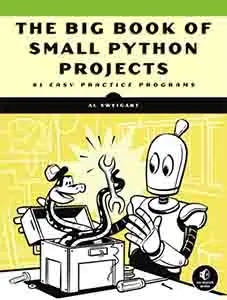
Fortunately, I’ve written a free book that lists many genuinely simple, small projects: The Big Book of Small Python Projects. Each of these projects uses only text output. This may seem old-school, but the benefit is that there are no graphics libraries you need to install and configure on your computer. And if you aren’t programming in Python, every language has the equivalent of print() so you can still recreate these programs in the language of your choice.
Once you have it working, restart the process and try to write the program yourself. You don’t need to memorize the full program. It’s fine to invent your own function and variable names. Just recreate something similar to the original program. If you struggle, retype the original code again. This will be slow—but remember: slow is smooth, and smooth is fast.
If you want even smaller projects—around a dozen lines of code—I’ve also written another free book of simple programming exercises with progressive hints: Python Programming Exercises, Gently Explained. https://inventwithpython.com/pythongently/
“Work on your own projects” is oversimplified advice because beginners still need handholds and guideposts. It’s the ultimate “easier said than done” recommendation. What isn’t easy is creating a large set of carefully curated, beginner-appropriate projects, which is what I’ve attempted to do. After working through a few projects that explicitly provide runnable source code with minimal setup, you’ll be in a much better position to judge what’s feasible for your own ideas.
Finishing three or four tiny projects is far more satisfying than spending two months on a half-finished large project. Hopping from one ambitious project to another without ever finishing doesn’t get you out of tutorial hell.
Avoid the Big Lists
I often see compiled lists of tutorials or project ideas posted on programming subreddits. Like someone with floor-to-ceiling shelves of unread books, people are impressed by the quantity in these lists and upvote them, assuming quantity must indicate quality.
I’ve never seen a good one. They’ll place “make your own tic-tac-toe game” right next to “make your own operating system,” with no sense of proportion, no suggested first steps, and no guidance. The compilers of these lists never do the hard work of curation.
That’s what led me to write The Big Book of Small Python Projects. Yes, it’s a list of 81 projects. But they are projects I created myself, not copy-pasted from AI. I actually wrote around thirty additional projects and excluded them after surveying dozens of readers who ran through all of them and rated which ones worked. It took months to make this list and write this book.
Meanwhile, "Here’s a list of 235 free programming tutorials" gets posted to Reddit a dozen times each week.
Even worse, I now see websites claiming to “use AI to generate programming project ideas.” They’re all terrible. None are good. None are even mediocre. You don’t need AI to give you the same tired suggestions to build a to-do list app or a weather app. These sites exploit AI hype to push a useless product—often to capture SEO traffic for programming courses that I assume are produced with the same low-effort mindset.
Don’t Contribute to Open Source
Or rather: don’t assume that contributing to open source is something you can effectively do as a beginner.
This is especially true for large projects such as the Linux kernel, the CPython interpreter, or major applications like GIMP or LibreOffice. Open source projects desperately need help, but meaningful help requires commitment. Mentoring and onboarding new contributors takes significant effort, and it carries the risk that someone will submit one or two bug fixes (that themselves have bugs) before ghosting forever.
That said, your perspective as a new user can be valuable for identifying gaps in documentation and onboarding materials. You can offer this when making your introduction to the team.
Also keep in mind that the biggest problems in tech are rarely technical. Contributing to open source is more about building and maintaining relationships than writing code. Trust is established slowly and requires patience.
For these reasons, I see “contribute to open source” as advice that is far too often presented without sufficient nuance.
Escaping Tutorial Hell
Escaping tutorial hell, whether you’re learning to code or learning any skill, is about making sustainable progress. There is no simple trick. Real learning is slow, includes setbacks, and must be paced for sustainability rather than quick results.
Much of this advice applies to learning anything, but I hope I’ve added some nuance to the familiar “work on your own projects” and “contribute to open source” advice you’ve likely heard before. The books I’ve written and made free (The Big Book of Small Python Projects and Python Programming Exercises, Gently Explained) are my attempt to address specific problems I’ve seen beginner programmers repeatedly encounter.
Good luck on your programming journey.